Review Comments (0) Screenshots (10) Questions & Answers (0) Votes (0) Awards (6) Wiki  
Progeny Software
2.2.0.15
www.timelinemaker.com
Shareware
$195.00  Purchase
233 people
Download Timeline Maker...

18.1 MBDownloaded 1370 times


Review

This is official description

If you’ve been creating timeline charts on a regular basis then you already know what an intricate, time consuming process it can be. This industry-leading timeline software removes all of the manual processes found in other methods and automatically builds the timeline for you, with no need to draw. With a short learning curve, tons of automatic features, knock-out charts and interactive presentation capabilities, Timeline Maker Professional is the best timeline solution available. Anywhere.

With a single click you can create flag charts or bar charts from pre-defined themes to build a wide variety of timelines for printing, sharing or presentation.

If you can use Microsoft® Office products, you can use Timeline Maker Professional.

Timeline Maker Professional’s built-in presentation tool and seamless integration with Microsoft PowerPoint give you a choice in how to best present your timelines.

Timeline Maker Professional’s new and exclusive Package for Sharing function makes sure that your timeline files are always intact for sharing with others or making a presentation on a different computer.

Main Features :

- One-click Timelines - Create great looking charts quickly. Just one click on the chart tab and the chart instantly appears.
- No Learning Curve - Start creating your first timeline as soon as you launch the software. It’s so easy there is no learning curve.
- Built-in Themes - Easily change the appearance of your chart using the built-in library of themes/styles.
- Easy Customization - Customize the chart by creating your own themes/styles, using corporate colors and logos or by adding photos and clipart to visually tell the story.
- Include Links - Include links to external documents, websites, audio clips and video clips to supplement the data in the chart.
- Assign Category Colors - Color code events and categories for easy visual interpretation.
- Import Event Data - Save time by importing events from other software applications.
- Seamless PowerPoint Integration - Insert the chart(s) into Microsoft® PowerPoint slides using the new Timeline Maker PowerPoint menu option.
- Package for Sharing - Use the exclusive “Package for Sharing” feature that automatically collects all linked files, attached images, documents, etc. and creates a zipped file to transport or send the complete timeline file with confidence.
 
The following review written by one of the Software Informer contributors applies to version 2.1

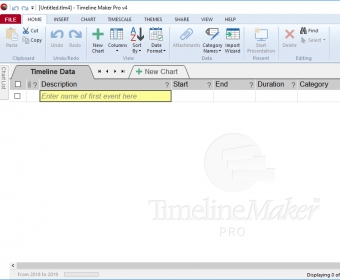
Timeline Maker Professional presents an easy-to-navigate interface for creating timelines for important events. Within minutes your event timeline is ready for presentation, once you've input your data entries in the Event Entry tab. You can also import your data from other applications. Clicking on the Chart tab presents your created timeline in the viewer and the timeline viewing window beneath. There is a theme list and a style selection window, both allow you to customize your timeline and create a look suitable for its presentation. Photographs, clip-art, or your company's logo can be added to the timeline, links to external documents, audio and video clips can be added too.

The program provides inbuilt dictionaries, general and medical. Timeline Maker Professional integrates into Microsoft Power Point for making presentations, if you prefer not to use the program's own presentation mode. Multiple charts can be created from the same timeline, and timeline charts can be exported to common graphic file types, for wider distribution. The program's feature "Package for Sharing" makes it easy to create zip files of entire timeline files for sharing them.
  • Easy to use.
  • Unregistered copies are watermarked when printed or published.

Reviewed by: Luis Sanchez

Reviewer rating:

Reviewed: 2 years ago

What's new in version 2.2

- Package for Sharing function
- Timeline Maker PowerPoint menu option
Report a wrong version Report a wrong program title Suggest a correction

Screenshots

Main View Main View Main View Main View Chart Chart Annotation Annotation
All 10 screenshots

Latest comments


There are no comments, be the first one!
Add new comment

E-mail Address:

Password:

Register now »

Forgot password?

Sign in with:
Download Software Informer Client
Copyright © 2012, Informer Technologies, Inc. About| Privacy and terms| Help| Feedback & Support| Partners program